


Master Color Contrast Accessibility: Unexpected Benefits for Your Designs

As Visual Thinkers, we pour our hearts into creating designs that capture attention, tell stories, and build brands. But what if I told you that one of the most fundamental aspects of design, Color Contrast Accessibility, is not just about avoiding criticism, but about unlocking extraordinary creative and business advantages? Forget the fear of “getting slammed by netizens”; let’s talk about proactive, value-driven design that genuinely connects with everyone.
In this comprehensive guide, Cipta Visual will walk you through the unexpected benefits of embracing color contrast accessibility. You’ll discover how to enhance user experience, expand your audience reach, and even spark creative innovation. We’ll demystify the technical aspects, provide you with practical tools, and empower you to elevate your designs to new, inclusive heights.
Beyond Compliance: Why Color Contrast Accessibility Matters More Than You Think

For many Visual Thinkers, accessibility can seem like a daunting checklist, especially when confronted with standards like WCAG (Web Content Accessibility Guidelines). While compliance with WCAG 2.1 levels AA and AAA is crucial for legal and ethical reasons, reducing accessibility to mere adherence misses the bigger picture. True accessibility is about empathetic design – crafting experiences that are usable and enjoyable for everyone, regardless of their abilities, visual acuity, or even their viewing environment.
Think about it: a design with excellent Color Contrast Accessibility isn’t just for someone with color blindness. It’s for the person viewing your website on a bright sunny day, or in a dimly lit room, or on a low-quality screen. It’s for someone experiencing temporary eye strain, or even someone who is simply tired. By striving for accessible color contrasts, we inherently improve the experience for all users, making our designs more robust and universally effective.


The Hidden Perks: Unexpected Benefits for Creatives
A. Boost Your Brand’s Reputation & Reach
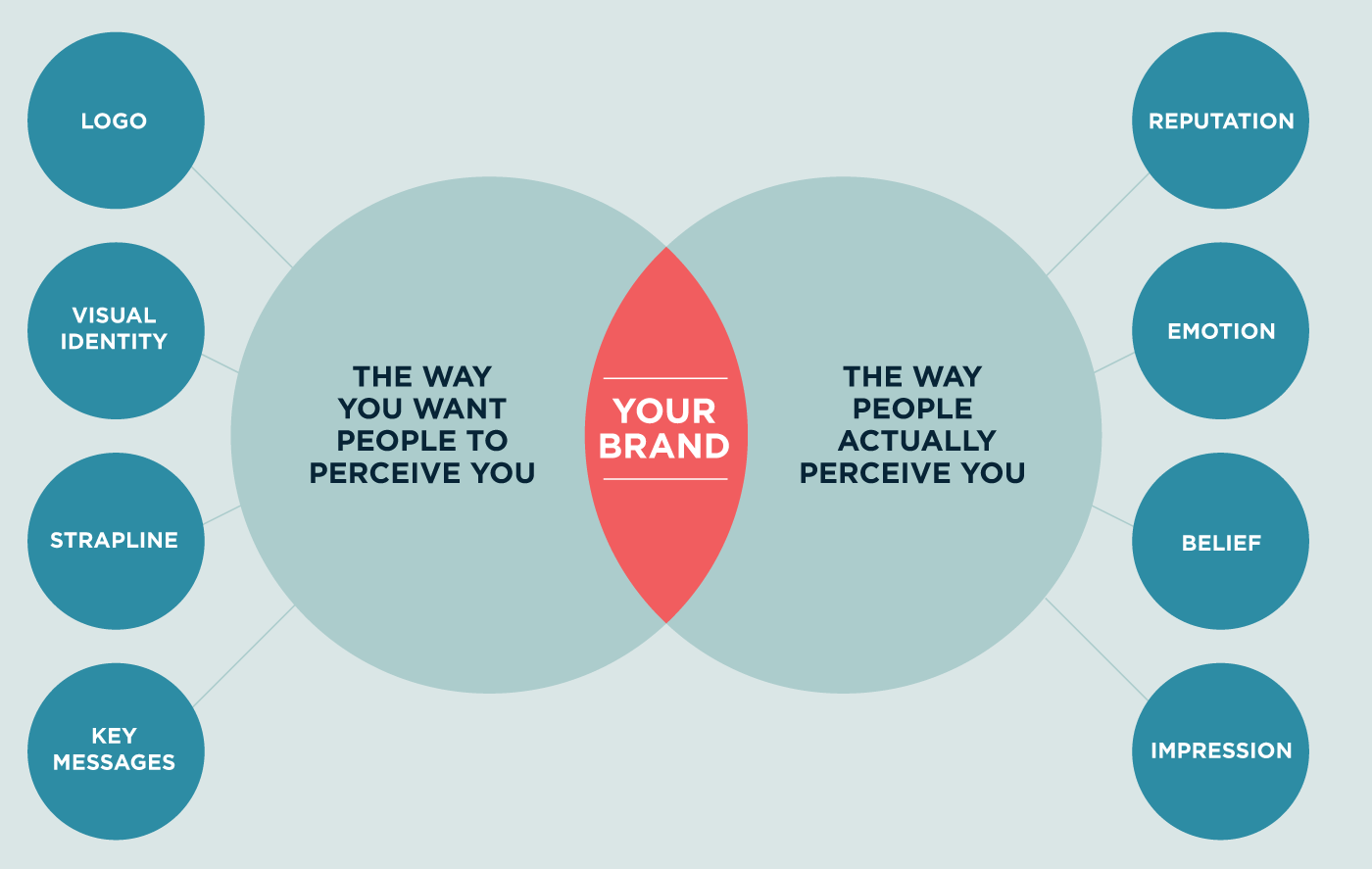
In today’s competitive digital landscape, a brand’s values are as important as its products or services. When your designs demonstrate a commitment to inclusivity through strong Color Contrast Accessibility, you communicate empathy and social responsibility. This isn’t just good PR; it’s a powerful trust-builder that resonates deeply with conscious consumers and can significantly enhance your brand’s reputation.
Moreover, accessible design expands your potential audience demographic exponentially. By removing barriers, you open your content to a broader segment of the population, including the millions globally with visual impairments. This wider reach can translate into increased engagement, higher conversion rates, and even offer subtle SEO advantages as search engines increasingly value user experience and accessibility signals.
B. Elevate User Experience for ALL
We Visual Thinkers know that a great user experience is paramount. Excellent Color Contrast Accessibility is a cornerstone of this, ensuring that text is legible and interactive elements are discernible. This improved readability drastically reduces user frustration, allowing your audience to absorb information quickly and effortlessly, regardless of their viewing conditions or personal visual capabilities.
Beyond basic legibility, adequate contrast helps reduce eye strain and cognitive load. When users don’t have to squint or struggle to differentiate elements, they can focus on your message and interact more naturally with your design. This creates a smoother, more enjoyable, and ultimately more effective experience for everyone, leading to longer engagement times and greater satisfaction.
C. Spark Creative Innovation
Some Visual Thinkers might perceive accessibility guidelines as creative shackles. However, in my experience, constraints often fuel the most ingenious solutions. Embracing Color Contrast Accessibility forces you to think more critically about your color palettes, typography, and overall visual hierarchy, leading to more thoughtful and impactful design decisions.
By challenging your default approaches, you’ll discover new ways to achieve visual interest and clarity without compromising accessibility. This process can unlock unique aesthetic combinations and innovative design patterns you might not have explored otherwise, pushing the boundaries of your creative process and ultimately making you a more versatile and skilled designer.
Demystifying Color Contrast: What You Need to Know
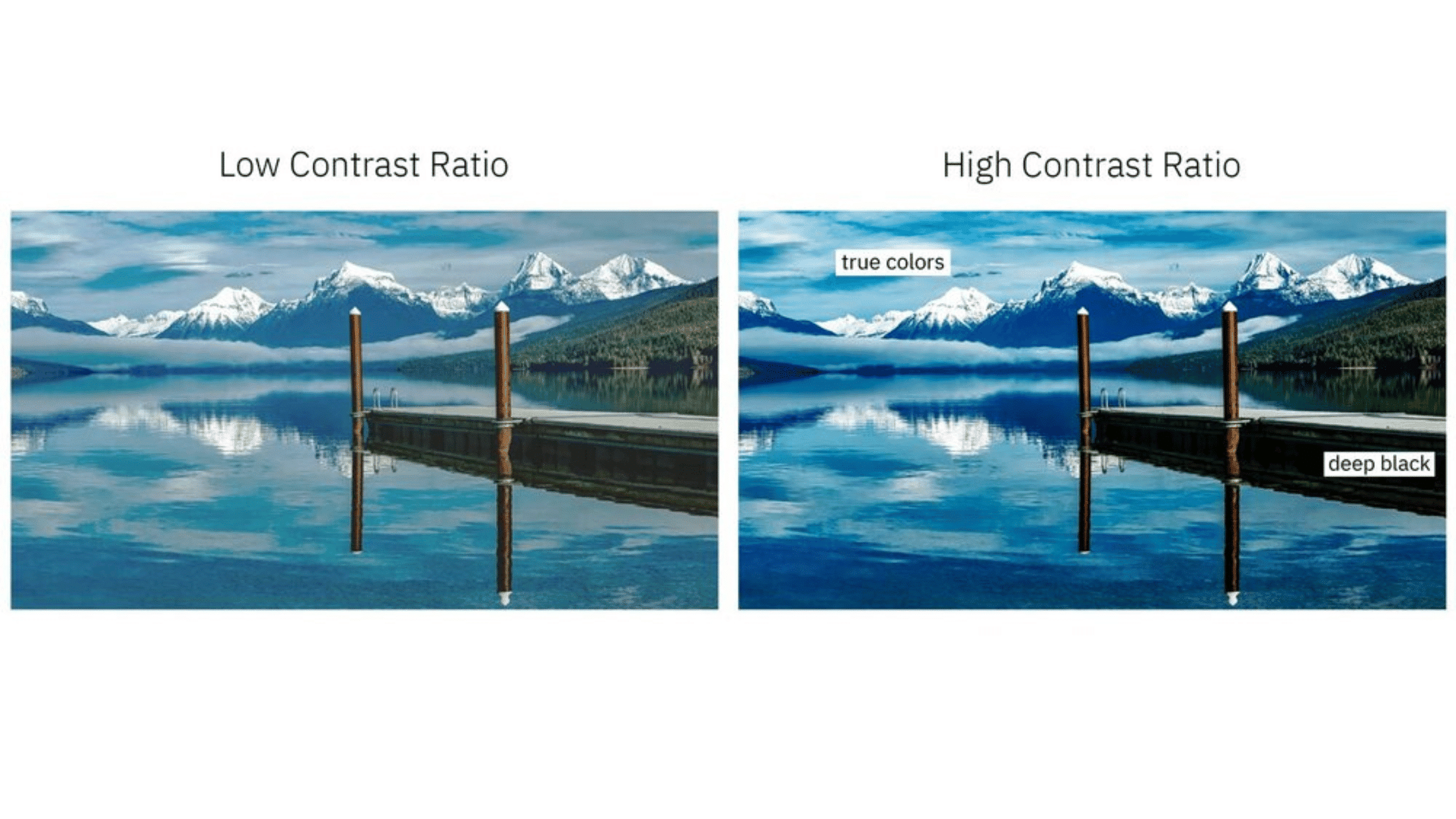
Understanding contrast ratio is key to mastering Color Contrast Accessibility. Simply put, the contrast ratio is a numerical value that represents the difference in luminance (light intensity) between the foreground color (e.g., text) and the background color. WCAG standards specify minimum contrast ratios to ensure readability.
- WCAG AA Standards: Requires a minimum contrast ratio of 4.5:1 for normal text and 3:1 for large text (18pt or 14pt bold and larger).
- WCAG AAA Standards: Requires an enhanced contrast ratio of 7:1 for normal text and 4.5:1 for large text. While AAA is the highest level, AA is generally the widely accepted target for most digital content.
It’s important to remember that text size plays a significant role. Larger text, due to its increased surface area, is inherently easier to read, even with slightly lower contrast. However, for smaller, essential text, higher contrast ratios are imperative to ensure legibility for all Visual Thinkers. Always aim for the highest practical contrast without compromising your design’s aesthetic, but ensure you meet at least AA standards.
Your Toolkit: Easy Ways to Check Color Contrast in Your Designs

Integrating Color Contrast Accessibility checks into your workflow doesn’t have to be cumbersome. There’s a wealth of tools available that make it easy to assess and refine your designs in real-time. Here are some of my favorite methods for Visual Thinkers like us:
A. Online Contrast Checkers
For quick checks, online tools are invaluable. They typically allow you to input hex codes for your foreground and background colors and instantly show you the contrast ratio and whether it passes WCAG AA or AAA. They are perfect for testing individual color pairs before committing them to a larger design system.
- WebAIM Contrast Checker: A classic, reliable tool that gives clear results and even suggests alternative colors if your combination fails.
- accessible-colors.com: Offers a visually intuitive interface, making it easy to see how slight color adjustments impact contrast.
B. Browser Developer Tools
Modern browser developer tools have become incredibly powerful accessibility aids. They allow you to inspect live web pages and instantly check the contrast ratios of text and background elements, often highlighting issues directly within the browser’s interface. This is fantastic for auditing existing websites or testing designs once they are in a development environment.
- Chrome DevTools: The ‘Elements’ panel often includes an ‘Accessibility’ tab or a color picker that displays contrast ratios when selecting text elements.
- Firefox Accessibility Inspector: A dedicated panel that provides detailed accessibility information, including contrast checks for various elements.
C. Design Software Plugins/Features
Many popular design applications now offer native features or robust plugins specifically for checking Color Contrast Accessibility directly within your design files. This seamless integration ensures that you can identify and correct issues early in the design process, saving valuable time and effort downstream.
- Figma: Numerous plugins like ‘Contrast’ or ‘A11y – Color Contrast Checker’ allow you to select layers and immediately see their contrast scores.
- Sketch & Adobe XD: Similar plugins and native features are available to help Visual Thinkers ensure their designs meet accessibility standards without leaving their creative environment.
Practical Tips for Designers & Marketers

Integrate Accessibility Early: Don’t treat Color Contrast Accessibility as an afterthought. Build it into your design process from the very beginning, during palette selection and typography choices. It’s far easier and more efficient to address issues proactively than to fix them later.
Test with Real Users (and Simulations): While tools are great, nothing beats testing with diverse users. If direct user testing isn’t feasible, use color blindness simulators (often built into browser dev tools or dedicated apps) to experience your designs from different perspectives.
Educate Your Teams and Clients: As Visual Thinkers, we often need to advocate for accessibility. Educate your colleagues and clients about the benefits – not just compliance, but the expanded reach, improved UX, and brand reputation boost. Frame it as an investment, not an expense.
Consider More Than Just Text: Remember that contrast applies to more than just body text. Ensure sufficient contrast for icons, buttons, form fields, and other interactive elements to make them clearly discernible and usable for everyone.
Use Color as a Secondary Indicator: Never rely solely on color to convey information. For example, if a button’s primary indicator is color (e.g., red for error), also include a text label, icon, or pattern to ensure the message is conveyed to those who can’t perceive the color difference.
Visual Conclusion: Designing a World of Clarity with Color Contrast Accessibility
For us Visual Thinkers, design is a powerful conversation. By mastering Color Contrast Accessibility, you’re not just adhering to guidelines; you’re elevating your craft, broadening your impact, and creating a more inclusive digital world. The unexpected benefits – from a stronger brand and superior user experience to ignited creativity – truly make it an indispensable skill for any modern creative professional.
At Cipta Visual, we believe in blending creativity with strategic insights to build brands that not only look good but also perform exceptionally. Whether you need compelling graphic design, innovative digital marketing strategies, or a cohesive brand identity, our expertise helps your vision come to life with impact and purpose.
Ready to transform your online presence with a website that’s not just beautiful, but also robustly optimized and highly accessible? We specialize in crafting professional WordPress websites with modern design, built-in SEO optimization, and unparalleled reliability and customization. Let us help you create a digital home for your brand that truly connects with everyone. Reach out to discuss your next project today at ciptanetwork@gmail.com.
Recommended Videos for Deeper Learning
To further enhance your understanding and practical skills in accessibility, I highly recommend exploring these insightful YouTube videos:
Sources & References for Visual Thinkers
For more in-depth information and to explore the foundations of accessibility, I encourage you to consult these notable sources: W3C (World Wide Web Consortium), WebAIM, Adobe, Google Design, UX Collective, A List Apart, and for broader insights into accessible practices, explore the articles at Smashing Magazine’s accessibility section.
Written with insights from Cipta Visual — helping Visual Thinkers blend creativity, strategy, and storytelling to build stronger brands.
Discover more from CiptaVisual
Subscribe to get the latest posts sent to your email.