


Time-Saving Tips: Reusing Design Elements in Figma & Canva for Design Efficiency
Master the art of reusability in Figma and Canva to streamline your design process and achieve consistent branding effortlessly.

Hello, Visual Thinkers! In today’s fast-paced digital world, time is a precious commodity, especially when it comes to creating compelling visual content. Whether you’re a business owner juggling multiple roles, a content creator on a tight schedule, a digital marketer aiming for consistent campaigns, or a designer striving for perfection, maximizing your Design Efficiency is crucial. The ability to produce high-quality, on-brand visuals without reinventing the wheel for every project can be a game-changer.
Imagine drastically cutting down your design time while simultaneously enhancing brand consistency across all your platforms. This isn’t just a dream; it’s a tangible reality achievable through smart design practices. By mastering the art of reusing design elements in powerful tools like Figma and Canva, you can streamline your workflow, boost productivity, and elevate your visual communication. Let’s dive into actionable strategies that will transform your design process and empower your brand.
Understanding Reusable Design Elements For Design Efficiency

At the heart of boosting your Design Efficiency lies a fundamental concept: reusability. This isn’t just about copying and pasting; it’s about creating intelligent, adaptable elements that can be deployed across numerous designs. Think of it as building with LEGOs instead of carving each piece from scratch every time. In both Figma and Canva, this concept is foundational for accelerating your workflow and ensuring `brand consistency`.
Specifically, in Figma, these reusable elements are often referred to as a Component – a reusable UI element that can be duplicated across a design project and updated globally from a single master instance, ensuring consistency and efficiency. In Canva, you’ll encounter similar concepts through design assets and elements that can be saved and reused. Understanding `reusable components` and how they function is the first step toward a more efficient design process. By creating master versions of elements – be it a button, an icon, or an entire section – you can instantly update them across multiple designs from one central point, ensuring uniformity and saving immense amounts of time.


Design Faster: Using Components and Styles in Figma to Streamline Your Workflow
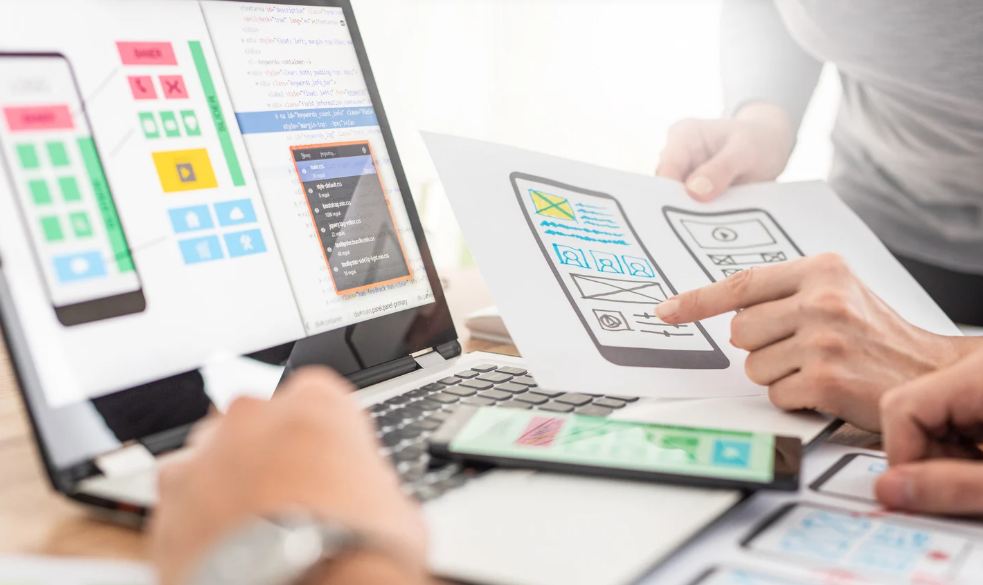
Figma stands out as a powerful tool for professional designers, and its `components` feature is a cornerstone of `design systems` and workflow optimization. To truly harness Figma’s potential for Design Efficiency, you need to master `Figma tips` related to components and styles. Start by identifying elements that appear frequently in your designs, such as buttons, navigation bars, cards, or input fields. Turn these into master components.
Here’s how to make the most of it:
- Create Master Components: Design your element once perfectly, then turn it into a master component. Any instance of this component you use in your designs will automatically update if you modify the master. This ensures `brand consistency` effortlessly.
- Use Variants: For components with different states or types (e.g., a primary button, a secondary button, a disabled button), use variants. This keeps your component library tidy and makes it easy to switch between options.
- Define Styles: Beyond components, set up text styles (for headings, body text) and color styles for your brand palette. This ensures visual harmony and quick adjustments across your entire project.
- Organize Your Library: A well-organized component library with clear naming conventions is vital for easy retrieval and collaboration, especially in team settings.
By implementing these `Figma tips`, Visual Thinkers can significantly reduce redundant design work, allowing more time for creative problem-solving rather than repetitive tasks.
Stay Consistent: How to Use Canva’s Templates and Brand Kit Effectively

For those who rely on Canva for quick and effective visual content creation, leveraging its template and Brand Kit features is paramount for achieving Design Efficiency and unwavering `brand consistency`. A Brand Kit is a centralized collection of brand assets including logos, color palettes, fonts, and usage guidelines, used to maintain a consistent brand identity across all materials. This powerful feature allows you to pre-define your brand’s visual identity, making it readily available for all your design projects.
Here are some essential `Canva hacks` for optimizing your workflow:
- Set Up Your Brand Kit: Upload your logos, define your brand colors, and set your brand fonts. This means every new design you create can instantly adhere to your brand guidelines.
- Create Custom Templates: Beyond Canva’s extensive library, create your own custom templates for recurring design needs, such as social media posts, presentations, flyers, or reports. Save these templates and reuse them for new content, only needing to update text and images.
- Utilize Brand Folders: Organize your brand assets, custom templates, and frequently used designs into dedicated folders. This makes finding what you need incredibly fast and reduces clutter.
- Share with Your Team: For teams, Canva Pro allows you to share your Brand Kit and custom templates, ensuring everyone produces on-brand content, no matter their design skill level.
By strategically using Canva’s Brand Kit and custom templates, you eliminate the guesswork and manual adjustments, freeing up valuable time and ensuring every piece of content reinforces your brand identity.
Scalable by Design: How to Build and Maintain a Lean Design System
While the term ‘Design System‘ – a complete set of standards, documentation, and reusable components that guide the design and development of a product or brand, fostering consistency and accelerating workflow – might sound intimidating, even small businesses and individual Visual Thinkers can benefit from establishing a simple one. A well-structured `design system` is crucial for scalability, especially as your content needs grow. It’s more than just a collection of `reusable components`; it’s a comprehensive guide to how your brand looks and feels.
For building a simple yet effective design system:
- Define Core Elements: Start with your foundational brand elements: colors (primary, secondary, accent), typography (font families, sizes, weights), and spacing conventions.
- Create Component Library: Systematize your `reusable components` in Figma or Canva. This includes buttons, icons, form fields, and common layouts. Each component should have clear guidelines on its usage.
- Document Everything: Even informal documentation can be incredibly helpful. Note down the purpose of each component, when to use it, and any specific rules. This prevents inconsistencies and speeds up onboarding for new team members.
- Iterate and Refine: A design system isn’t static. Regularly review and update your components and guidelines as your brand evolves or new design patterns emerge.
Implementing a `design system` might seem like an upfront investment of time, but the long-term gains in Design Efficiency, reduced errors, and consistent brand representation are invaluable for any growing business.
Design That Scales: How Reusable Elements Drive Efficiency in Digital Marketing
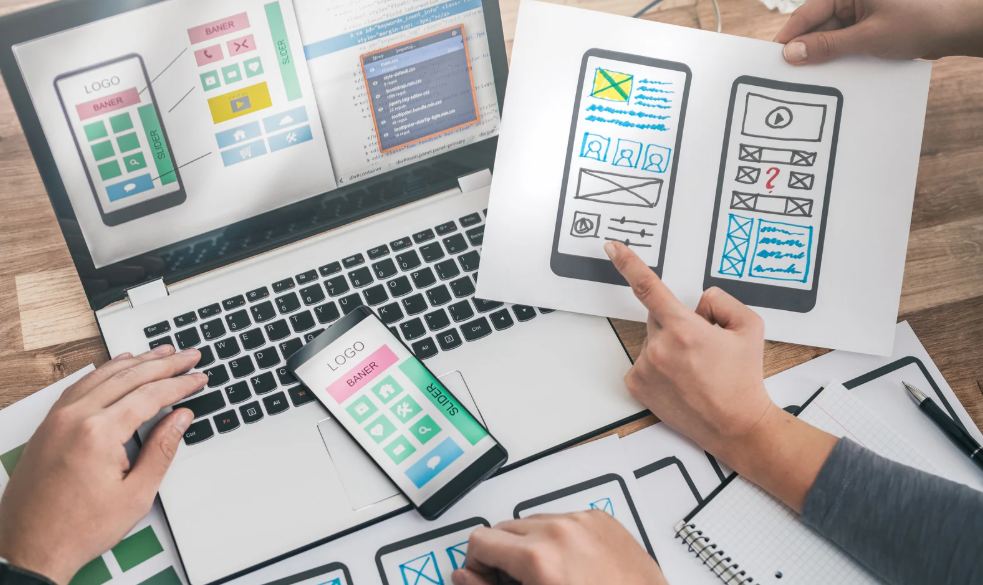
Consider a digital marketing agency tasked with creating a robust social media campaign across multiple platforms for a client. Without `reusable components` and a solid `design system`, each graphic for Facebook, Instagram, Twitter, and LinkedIn would be designed almost from scratch. This would involve manually picking colors, adjusting fonts, and recreating common graphical elements for every single post, leading to immense time expenditure and potential inconsistencies.
With a strategy focused on Design Efficiency, the agency first establishes a `Brand Kit` in Canva and a component library in Figma. Key elements like call-to-action buttons, profile picture frames, testimonial card layouts, and headline styles are created as `reusable components`. When a new campaign launches, designers simply pull from this library, customize the text and imagery relevant to the current message, and export. Minor adjustments are made for platform-specific aspect ratios, but the core design remains consistent.
The result? The agency slashes design time by 50-70%, allowing them to focus on strategic messaging and campaign performance rather than repetitive design tasks. `Brand consistency` is guaranteed across all platforms, strengthening the client’s brand identity and improving user recognition. This real-world application underscores the profound impact of design reusability on productivity and branding success in digital marketing.
Design Reuse Gone Wrong: Mistakes to Watch Out For
While embracing `reusable components` in Figma and `Canva hacks` can significantly boost Design Efficiency, Visual Thinkers should be aware of common pitfalls. Avoiding these can save you headaches down the line and truly unlock the potential of your `design systems`:
- Over-reliance on Default Templates: While Canva’s templates are great starting points, simply swapping out text often leads to generic designs that lack unique brand identity. Customize them heavily using your `Brand Kit`.
- Lack of Naming Conventions: A disorganized component library in Figma or a chaotic asset folder in Canva makes `reusable components` hard to find and use. Implement clear, consistent naming from the start.
- Ignoring Responsive Design: Not adapting `reusable components` for different screen sizes (mobile vs. desktop) or print formats can lead to broken layouts and a poor user experience. Always consider where your design will be displayed.
- Failing to Update Master Components: If you modify an instance of a component without detaching it or updating the master, you risk creating inconsistencies. Always update the master to propagate changes globally.
- Inconsistent Collaboration: When working in teams, ensure everyone understands and adheres to the established `design system` and component usage. Regular sync-ups can prevent conflicting changes.
By being mindful of these issues, you can ensure your efforts towards design reusability truly enhance `brand consistency` and workflow efficiency, rather than creating new problems.
From Efficiency to Impact: Why Reusable and Consistent Design Pays Off Over Time

The immediate benefits of reusing design elements – such as increased Design Efficiency and reduced production time – are compelling. However, the long-term advantages of a consistent and reusable design approach extend far beyond simple time savings. For Visual Thinkers and businesses alike, this strategy builds a stronger foundation for sustained growth and brand recognition.
- Enhanced Brand Recognition: Consistent visuals across all touchpoints make your brand instantly recognizable and memorable, fostering trust and loyalty among your audience.
- Improved User Experience: Predictable UI elements and consistent visual language lead to a more intuitive and enjoyable experience for your users, whether they’re navigating your website or consuming your content.
- Reduced Design Debt: By establishing a `design system` and using `reusable components`, you proactively minimize future rework and inconsistencies, saving resources in the long run.
- Faster Time-to-Market: New marketing campaigns or product features can be launched more quickly when the design infrastructure is already in place, allowing you to react faster to market demands.
- Scalability: As your business grows, your design system scales with it. New designers or marketing team members can quickly get up to speed and contribute effectively, maintaining `brand consistency` effortlessly.
Investing in design reusability is an investment in your brand’s future, ensuring its visual presence is cohesive, professional, and endlessly adaptable.
Design Faster: Extra Tips to Streamline Your Workflow
Beyond mastering `reusable components` and `design systems`, here are some additional `Figma tips` and `Canva hacks` to supercharge your Design Efficiency:
- Keyboard Shortcuts: Memorize and use keyboard shortcuts extensively in both Figma and Canva. This is one of the quickest ways to accelerate your workflow.
- Plugins and Integrations: Explore plugins in Figma (e.g., for icon libraries, content generation) and integrations in Canva (e.g., photo libraries, brand asset management tools) to automate repetitive tasks.
- Batch Processing: For common tasks like resizing or format conversion, look for tools or techniques that allow for batch processing to save time.
- Organized File Structure: Maintain a clear and logical folder structure for your design files and assets. This makes finding and managing projects much easier.
- Learn from Others: Follow design communities, watch tutorials, and attend webinars. There’s always a new `Figma tip` or `Canva hack` to discover that can further enhance your productivity.
By continuously seeking ways to optimize your design process, Visual Thinkers can maintain a competitive edge and consistently deliver high-quality, on-brand visuals with unparalleled speed.
Design Efficiency: Boost Productivity While Strengthening Your Brand
Unlock Your Design Superpowers!
By now, Visual Thinkers, it should be clear that embracing `reusable components` and `design systems` in Figma and Canva is not just a trend but a fundamental shift towards smarter, more sustainable design practices. The journey from repetitive tasks to streamlined efficiency is paved with strategic choices: from understanding what constitutes a `Component` to meticulously crafting your `Brand Kit` and `Design System`. These choices directly translate into enhanced Design Efficiency, unparalleled `brand consistency`, and ultimately, a stronger, more recognizable presence in the digital landscape.
The time you save by implementing these `Figma tips` and `Canva hacks` can be reinvested into more creative endeavors, strategic planning, or simply enjoying a better work-life balance. Your brand will thank you for the cohesive and professional image you project, building trust and authority with every consistent visual touchpoint. Remember, intelligent design isn’t just about aesthetics; it’s about making smart decisions that propel your business forward.
Ready to transform your design workflow and elevate your brand to new heights of professionalism and efficiency? Don’t let valuable time slip away on repetitive design tasks. CiptaVisual is here to empower your visual communication and branding journey. Let us help you implement these strategies for maximum impact!
We’re just a click away to help you on your design journey. Contact Us today and let’s make your brand shine consistently and efficiently!
Essential Resources for Visual Thinkers
- ✍️ Figma Official Website
- ✍️ Canva Official Website
- ✍️ Nielsen Norman Group: Design Systems 101
- ✍️ Adobe Creative Cloud: Discover Design Systems
- ✍️ Smashing Magazine: Reusability in Design System Components
Tune In: Elevate Your Design Skills
Discover more from CiptaVisual
Subscribe to get the latest posts sent to your email.


